
Paint pixel-perfect textures directly onto 3D models, then arrange them into scenes.
Windows 10/11 · $29 on Steam · free demo on itch.io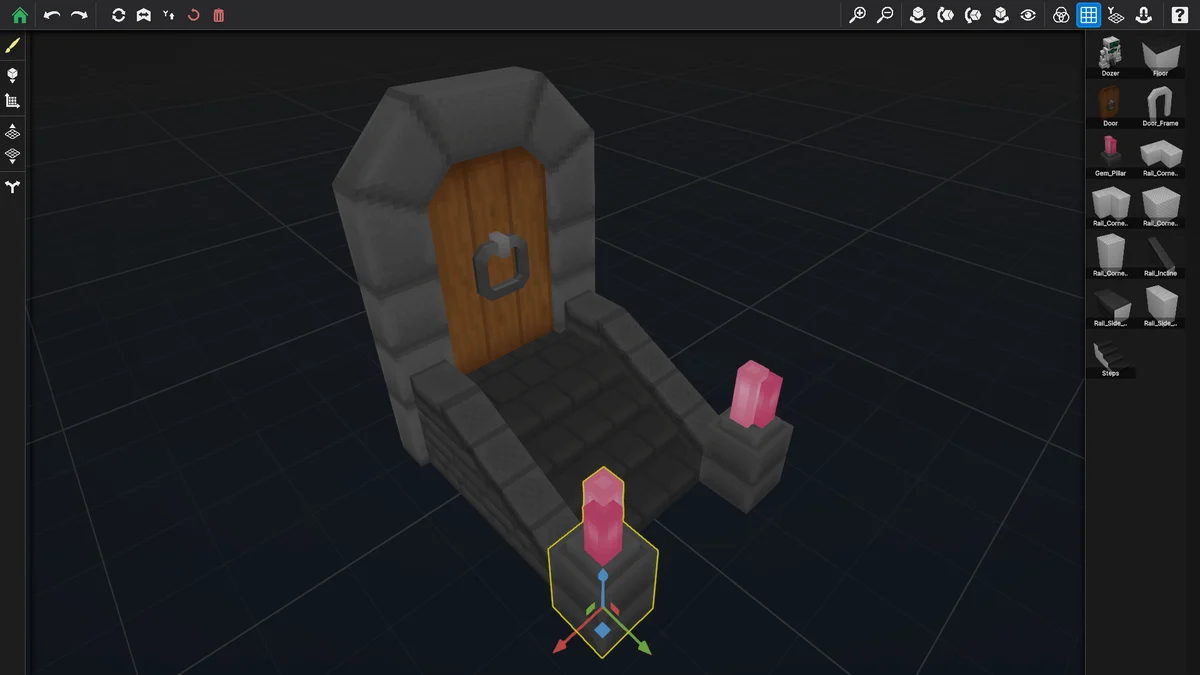
No more export, tweak, reimport
The usual 3D texturing loop makes you guess in a 2D editor and find out in a 3D one. Draw on a Block collapses that: you paint on the geometry, in context, and see the result as you make it. Build a whole modular kit in one window and watch the pieces line up — or fail to — before the artwork is finished.
Pixel-perfect precision
Magic wand selection, flood fill and gradient tools, with a texel grid overlay so you always know exactly which pixel you're on.
Up to 16 layers per material
Real-time compositing, so you can keep base colour, shading and detail separable instead of painting yourself into a corner.
Multi-material models
Each material carries its own resolution. A model can have a crisp 32× face and a coarse body without compromise.
Explode view
Blow a model apart to reach interior faces and tucked-away geometry that a normal viewport will never let you click.
Scene builder + snap grid
Arrange painted models on a grid to design a kit as a set, not as a pile of unrelated files.
Shared textures & forking
One texture updates every instance at once. Fork it when you want a variant that goes its own way.
Screenshots
Click any shot to enlarge it.
Details
| Platform | Windows 10 / 11, 64-bit |
|---|---|
| Price | $29 USD on Steam. The itch.io demo is free. |
| What the demo does | Full painting tools and 15 built-in models. Model import and export are disabled — that's the only difference. |
| Included models | 50+ in the Steam version |
| Import / export | FBX, OBJ, glTF, GLB, and Blockbench .bbmodel |
| Download size | ~95 MB |